Choosing a Kids Video Calling Smartwatch is not simply a matter of picking the brightest screen. It means weighing reliable calling, comfortable fit, privacy controls, battery life, and the child’s daily routine. Pew Research Center’s 2024 report, Teens, Social Media and Technology, found that 95% of U.S. teens have access to a smartphone. That figure describes teenagers, not younger children, but it shows how early connected devices now enter family life.
Developmental guidance matters as much as technical specifications. Dr. Jenny Radesky, a developmental behavioral pediatrician and digital-media researcher, has emphasized evaluating technology by how it affects children’s relationships, play, and routines. A practical paraphrase of her guidance is: “A device should support connection, not crowd out sleep, play, or face-to-face talk.” Keep that standard in view. A watch can help a child call home from the school gate, yet it can also become one more distraction during class or bedtime.
This guide will compare the details parents can actually test: whether video remains clear in a dim living room, whether the strap fits a small wrist, and whether approved contacts are simple to manage. It will also examine network requirements, location features, emergency tools, and data practices. No watch is perfect. Some trade-offs are easy to miss in product listings, so families should check the manufacturer’s specifications and try the controls before relying on them.
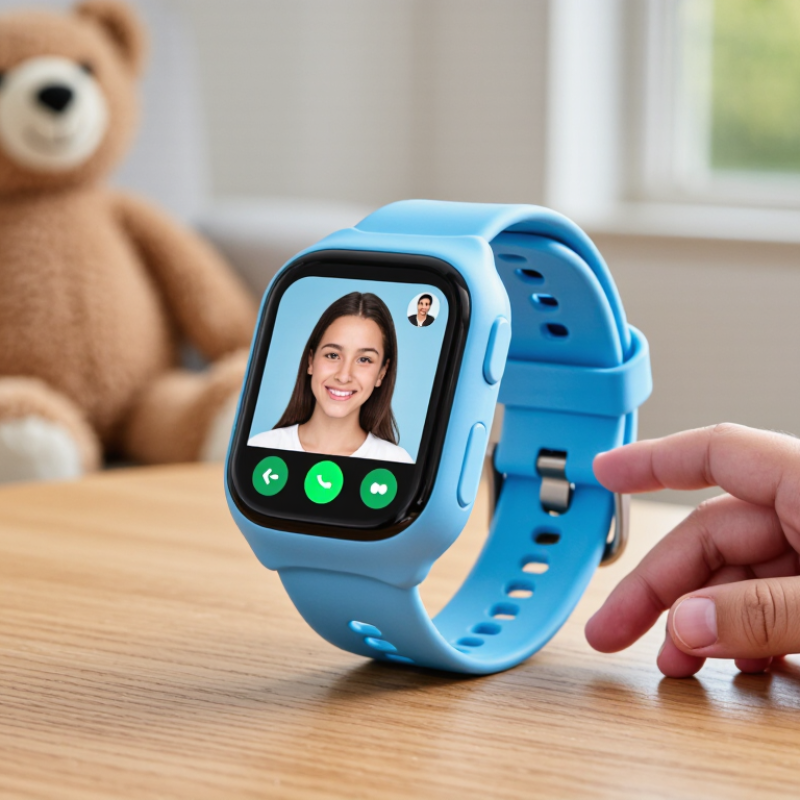
Before comparing features, decide what “calling” means for your family: live video, voice calls, or both. Check whether the watch needs a separate wearable plan, an eSIM, and approved contacts. Video calls need usable mobile data, not just a signal icon. A watch may support LTE yet lack the exact bands or carrier provisioning required for service.
Check the exact model number against the child’s carrier band list, then confirm the carrier supports that device and its calling features. Band compatibility varies by model and region. The GSMA’s Mobile Economy 2024 report projects 5G will reach 56% of mobile connections by 2030; LTE support still matters during this transition. A matching band list is a starting point, not a guarantee. Carrier charts can be confusing, so confirm details directly before buying.
Tips: Ask the carrier to verify the watch’s model and LTE bands in writing. Check indoor coverage at home and school. Try a video call over mobile data before relying on it.
| Selection Dimension | What to Check | Practical Guidance |
|---|---|---|
| Calling method | Determine whether calls use the cellular voice network, an internet calling app, or both. | For ordinary phone calls, confirm LTE voice support and carrier VoLTE compatibility. App-based video calls require a working data connection and compatible accounts or contacts. |
| Expected video-call use | Consider how often the child will make video calls and whether calls will usually happen on Wi-Fi or mobile data. | Video calls use more data than voice calls. Check the plan’s data allowance, any video or app restrictions, and whether the watch supports Wi-Fi calling or app calls as needed. |
| LTE band match | Compare the watch’s supported LTE bands with the bands used by the child’s carrier in the places the watch will be used. | Common LTE band examples include Band 2 (1900 MHz), Band 4 (AWS), Band 5 (850 MHz), Band 12 (700 MHz), Band 13 (700 MHz), Band 66 (AWS), and Band 71 (600 MHz). These are examples, not a universal compatibility list. |
| Local coverage | Check coverage at home, school, and other regular destinations—not just nationwide coverage maps. | Coverage and deployed bands can vary by location. A watch may support a carrier’s band but still have weak service where the child spends time. |
| VoLTE and network approval | Ask the carrier whether it supports the specific watch model for LTE voice, SIM or eSIM activation, and VoLTE. | LTE band overlap alone does not guarantee service. Carrier device approval, VoLTE provisioning, and the appropriate plan may also be required. |
| SIM and service plan | Confirm whether the watch uses a physical SIM or eSIM and whether the carrier offers a plan that supports its calling features. | Check activation requirements, recurring charges, data limits, and whether the plan permits calls and app data on a smartwatch. |
| Contacts and parental controls | Review whether a parent can manage approved contacts and control who can call or message the child. | Choose settings that fit the family’s needs, and verify whether video calls are limited to approved contacts. |
| Battery during calls | Check independent usage information or test battery life with the calling features the child will actually use. | Video calling, cellular data, and weak-signal conditions can use more battery than standby or short voice calls. |
| Final compatibility check | Provide the carrier with the watch’s exact model number and supported LTE band list before purchase. | Request confirmation of local LTE coverage, VoLTE, device eligibility, and plan support. Recheck these details before activating the watch. |
LTE band use varies by carrier, country, and location. Band support is only one part of compatibility; verify the exact model and service requirements with the child’s carrier.
It may collect a child’s face, voice, precise location, and persistent device identifiers. These can count as personal information.
Ask whether the service gives parents direct notice and obtains verifiable parental consent before collecting children’s personal information. COPPA may apply to services directed at children under 13, or those that knowingly collect their information.
Check whether parents can access and delete recordings, contacts, and location history. Ask how long the information is kept. Policies can be vague.
Yes. Ask who receives the data and whether video calls are encrypted. Certain third-party disclosures under the amended COPPA Rule require separate parental consent.
Not necessarily. A mAh rating alone cannot show how long a child can actually talk. Compare measured video-call time instead.
Look for tests using the same network, brightness, and call volume. Several ten-minute calls may reveal sudden battery drops. One result is not enough.
Start with a full charge. Note signal strength and whether location tracking or notifications are active. Check the remaining charge after calls.
Weak signals and daily use can change battery drain. Test again on another day, in places your child will use the watch. It is imperfect, but practical.
No. Standby and video calls involve different kinds of use. That matters.
Choosing the right Kids Video Calling Smartwatch starts with understanding how your child will use it. Consider who they need to call, how often they will make video calls, and whether the watch’s LTE bands are compatible with your child’s carrier. For privacy, review what information the device collects, how it is stored, and what parental controls are available. If the watch is intended for a child under 13, check whether its privacy practices address the requirements of the FTC’s COPPA rules.
Compare video quality using clear specifications: 720p means a resolution of 1,280 × 720 pixels, though actual results can also depend on the camera and network connection. For water resistance, look for an IEC 60529 rating; IPX7 indicates protection during immersion in up to 1 meter of water for 30 minutes under specified test conditions. Finally, judge battery performance by measured call time and everyday use rather than mAh capacity alone, since screen brightness, signal strength, and other features can affect how long the watch lasts.